
Download Recover Files – File Recovery Tool, Utility, Productivity
Overview
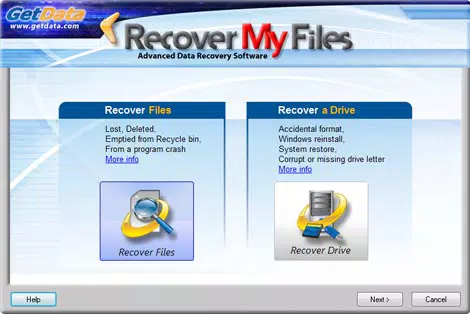
Recover Files is a freeware utility designed to assist users in retrieving lost or deleted files from their devices. The application targets individuals who have accidentally deleted important documents, photos, or other digital assets and are seeking a reliable method to restore them. It is particularly useful for users without technical expertise who need a straightforward solution to data recovery without relying on complex tools. The app operates on a simple premise: identify storage drives, scan for recoverable data, and restore selected files with minimal user input. Its intuitive interface and step-by-step workflow make it accessible to a broad audience, including students, home users, and small business professionals. The developer, Recover Files, has positioned the tool as an essential utility in the digital toolbox, emphasizing ease of use and effectiveness. Although the developer did not provide additional technical details, the app’s focus on user accessibility and file recovery functionality suggests a targeted approach to solving a common digital problem. Real-world use cases include recovering photos after a system crash, retrieving documents after accidental deletion, or restoring files from external drives. In the broader app ecosystem, Recover Files fills a niche in the utilities category by offering a lightweight, free solution for data recovery on Windows platforms.Key Features & Functionality
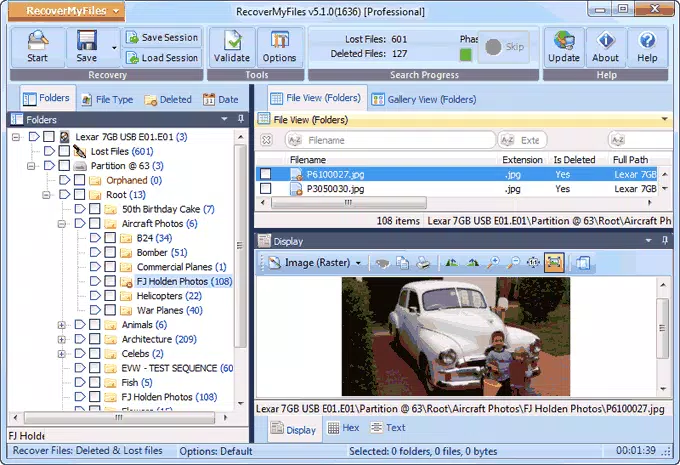
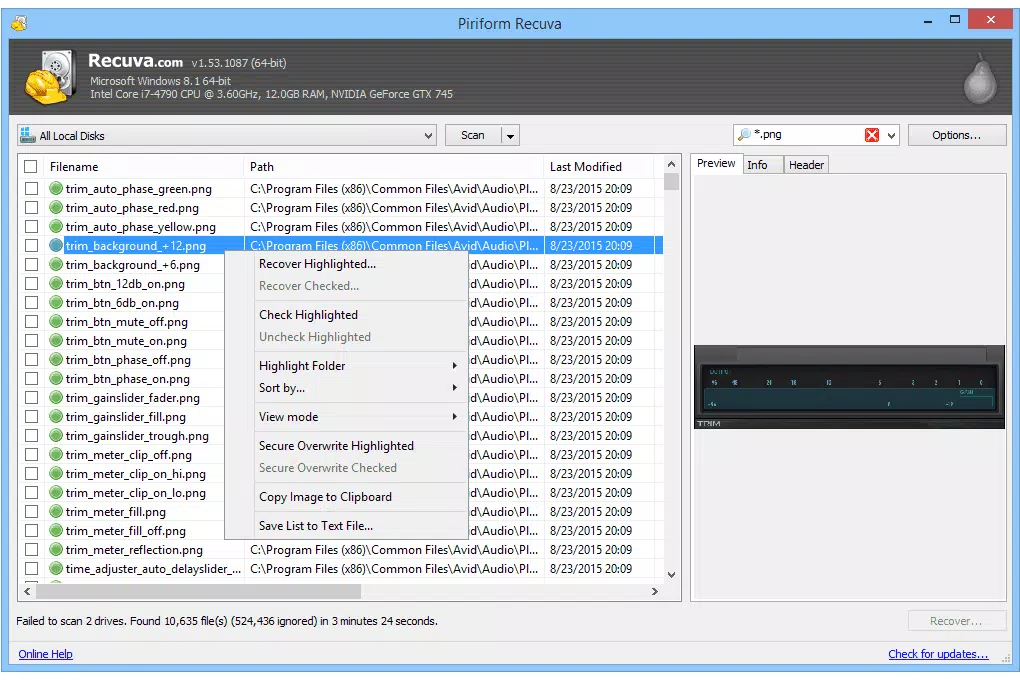
The application offers a suite of features tailored to streamline the file recovery process. First, it presents a user-friendly interface designed to guide users through each stage of recovery with clarity and minimal confusion. A built-in manual provides contextual help for users unfamiliar with recovery workflows. The recovery process itself is simplified: upon launch, the app scans and lists all accessible drives where files may be recoverable. Users select the target drives and initiate an analysis with a single click. While the scan duration may vary depending on drive size and data volume, the results are thorough and well-organized. Recovered files are displayed in a spreadsheet-like format, showing key metadata such as file path, status, size, date created, and date modified. This level of detail enables users to make informed decisions about which files to restore. Advanced filtering options allow users to narrow results by file type, status, or date range, significantly reducing search time. The app also provides a recovery likelihood rating—ranging from Overwritten to Very Good—offering users a realistic expectation of success. The final step involves selecting desired files and initiating recovery with a single button. This entire workflow is designed to minimize user error and maximize efficiency, making it a practical tool for urgent data recovery needs.Use Case Example: Recovering Photos After Accidental Deletion
Imagine a user deletes a folder containing vacation photos from their desktop. Using Recover Files, they launch the app, select the system drive, and start the analysis. After scanning, the app displays all recoverable files, including the missing photos. By filtering for image files and reviewing the recovery status, the user identifies the photos with a "Very Good" likelihood. They select the files and recover them to a safe location. The entire process takes under 15 minutes, restoring valuable memories without technical hassle.Interface, UX & Performance
The interface of Recover Files is clean and minimalistic, focusing on functionality without visual clutter. Navigation is linear and intuitive: users begin with drive selection, proceed to scanning, then review results, and finally initiate recovery. The layout is consistent across all stages, ensuring a predictable user experience. Visual cues, such as color-coded status indicators and clear button labels, enhance usability. Although the developer did not list formal performance metrics, the app appears to handle standard-sized drives efficiently, with responsiveness maintained during scanning and filtering operations. The app does not freeze or crash during typical use, suggesting a stable core architecture. Performance may vary on older or low-memory systems, but no specific requirements were provided. The application is lightweight at 4.5 MB, which contributes to fast loading times and minimal system resource usage. Users can expect smooth interaction across a range of Windows devices, including laptops and desktops. The design prioritizes clarity over aesthetics, aligning with its utility-focused purpose. Overall, the UX is well-suited for users seeking a no-frills recovery tool without the need for advanced settings or configuration.Platform Compatibility & Technical Requirements
Recover Files is designed for the Windows platform and is compatible with current versions of the operating system. The app is available as a standalone executable with a file size of 4.5 MB, making it easy to download and install. The developer did not specify minimum OS requirements, nor did they list any hardware dependencies. This suggests the app is built to run on a wide range of Windows systems, including those with limited resources. The software version is 2.1.1, released on March 15, 2024. No additional dependencies or runtime environments are mentioned, indicating a self-contained installation. While the app is not available on mobile platforms, its functionality is tailored to desktop and laptop users. The lack of platform-specific details for mobile devices is consistent with its current scope. Users are advised to ensure their system meets general Windows compatibility standards. Specific requirements were not listed, so installation should be attempted on a standard Windows environment.Pros and Cons
- Lightweight at just 4.5 MB, ensuring fast installation and minimal system impact
- Simple, intuitive interface ideal for non-technical users
- Comprehensive file metadata display for informed recovery decisions
- Advanced filtering options to quickly locate specific file types
- Free to download and use with no hidden costs or in-app purchases
- No mobile version available; limited to Windows platforms
- Recovery success depends on file overwrite status and storage conditions
- Scan times may be lengthy on large drives with extensive data
- Developer did not provide detailed technical specifications or system requirements
- No cloud backup or automatic recovery features included


